> For the complete documentation index, see [llms.txt](https://flight-ota.saladin.vn/llms.txt). Markdown versions of documentation pages are available by appending `.md` to page URLs; this page is available as [Markdown](https://flight-ota.saladin.vn/overview-about-embedded-flight-insurance.md).
# Overview about Embedded Flight Insurance
## Purchase Flow
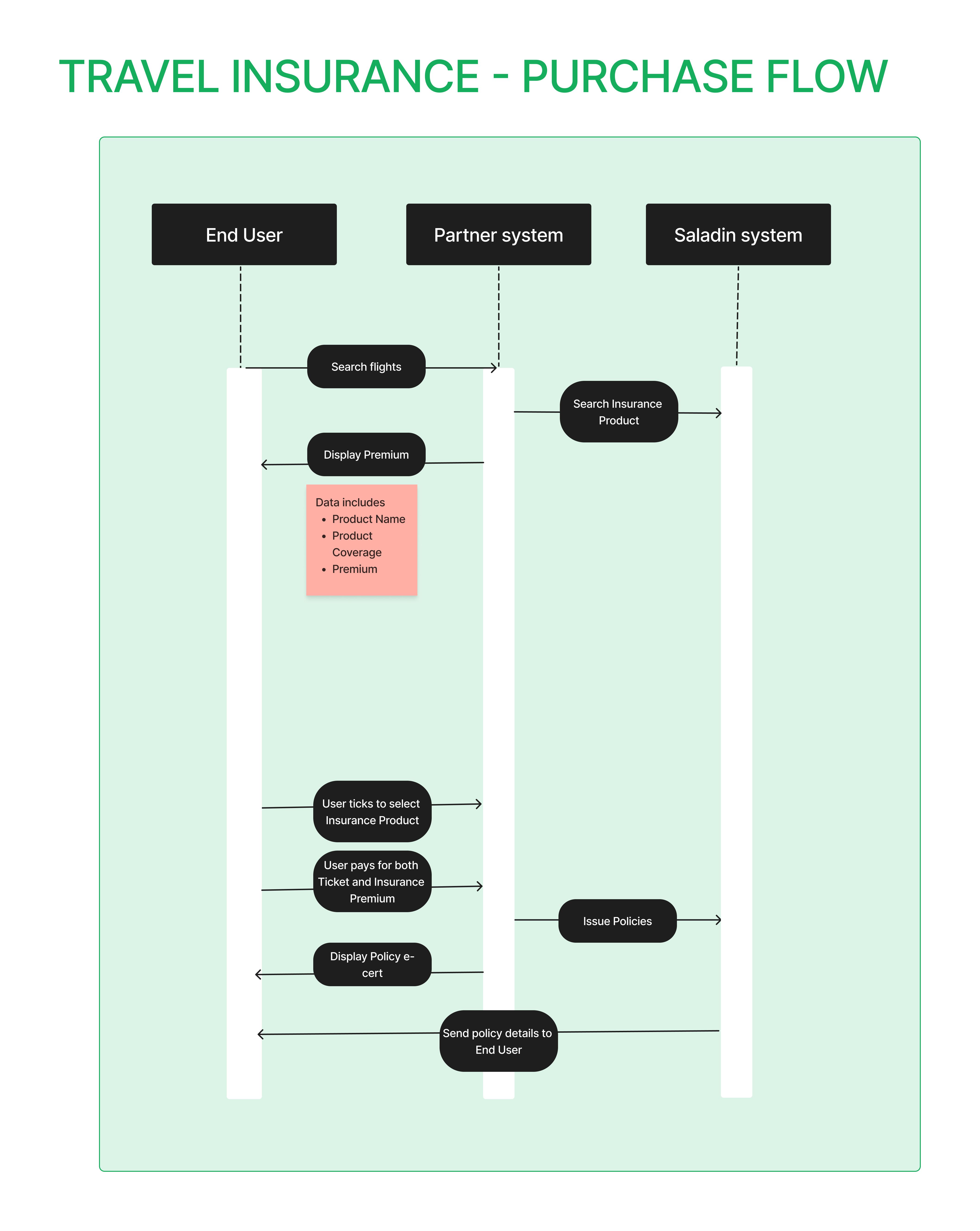
* Quotation
* End User starts searching for flights
* When the flights are selected, Partner's system gets quotation from Saladin system. There are 2 insurance products available: Insurance for Domestic and International Flights
* Partner's system will display Insurance product info to end user
* The quotation will include all passengers in the booking
* Policy Issuance
* User ticks to select and confirm to purchase
* Partner's system will call Saladin system to issue the policy. Partner's system needs to pass Flight details and Passenger details to issue a new policy
* All passengers in the booking will be included in the insurance policy
Purchase Flow
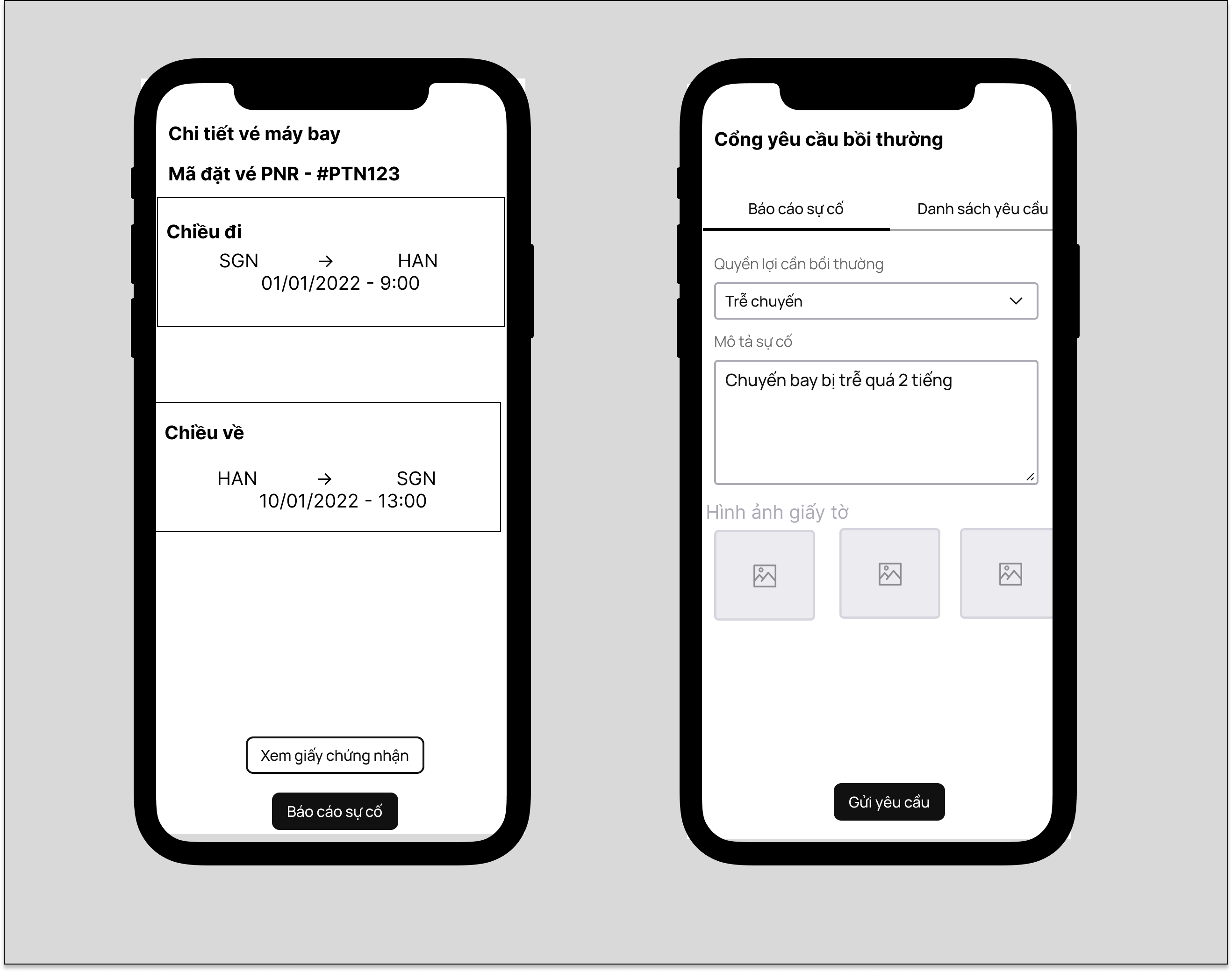
## Claim Flow
* Partner provides an entry point on Booking Detail screen
* End User can access to Claim portal via that entry point to submit a new claim request or manage all opened requests
* Saladin will process the claim request and decide to approve/reject
Claim Mockup
## Flight Change Flow
* There are scenarios when the flight schedule is changed from Airlines, the new flight schedule must be updated in Policy so End User can get the full benefits
* If Partner's system can detect the changes (This option is recommended)
* Partner's system will update the new information to Saladin
* Saladin will record and reflect the changes on Policy details
* If Partner's system cannot detect the changes
* End User is required to submit the change info to Saladin